How to Choose the Right Laptop: Budget, Constraints & Specifications (Expert Guide)
I’ve helped clients, friends, students, and business owners choose laptops for over five years.
And I’ll be honest—I’ve also made a few expensive mistakes myself.
I’ve bought laptops that looked powerful on paper but felt sluggish in real life.
I’ve overspent on specs I never used.
And I’ve seen people struggle for years with the wrong laptop just because they followed marketing hype instead of real needs.
This guide is everything I wish someone had told me earlier.
Whether you’re a student, professional, gamer, or casual user, this article will help you choose the right laptop based on your budget, constraints, and real-world usage, not sales jargon.
Why Choosing the Right Laptop Is More Important Than Ever
Laptops today are not cheap disposable gadgets.
Most people use them for 3–6 years, sometimes longer.
A wrong choice can mean:
- Slow performance after a year
- Battery anxiety every day
- Painful multitasking
- Paying extra for features you’ll never use
A right choice means:
- Smooth daily work
- Better productivity
- Less frustration
- Better value for your money
Step 1: Define Your Purpose (This Matters More Than Specs)
Before looking at RAM, processor, or price, ask one simple question:
What will I actually use this laptop for?
From experience, this is where most buyers go wrong.
Common Use Cases (Real-Life Based)
1. Students & Online Learning
Typical needs:
- Browsing
- Zoom / Google Meet
- Assignments
- Light multitasking
👉 You don’t need a high-end processor.
2. Office & Work-from-Home Users
Typical needs:
- Excel, Word
- Emails
- Browsers with 10+ tabs
- Light design tools
👉 Stability and battery life matter more than raw power.
3. Content Creators (Design, Video, Writing)
Typical needs:
- Photoshop, Premiere Pro
- Large files
- Color accuracy
👉 CPU, RAM, and storage speed matter a lot.
4. Developers & Power Users
Typical needs:
- Coding environments
- Virtual machines
- Docker, databases
👉 RAM and CPU cores are critical.
5. Gamers
Typical needs:
- Dedicated GPU
- Cooling
- High refresh-rate display
👉 Budget planning is crucial here.
Step 2: Set a Realistic Budget (With Hidden Costs in Mind)
My Honest Budget Rule
Buy the best laptop you can afford, not the cheapest you can find.
Cheap laptops often cost more in the long run.
Budget Breakdown (Practical Ranges)
| Budget Range | What You Can Expect |
| Under $400 | Basic browsing, very limited multitasking |
| $400–$700 | Best value for students & office users |
| $700–$1200 | Smooth performance, long-term use |
| $1200+ | Power users, creators, premium build |
Hidden Costs People Forget
- External storage
- Laptop bag & accessories
- Software subscriptions
- Repairs after warranty
Step 3: Understand Laptop Constraints (The Real-World Limitations)
No laptop is perfect.
Every model has trade-offs.
Common Constraints to Watch For
1. Portability vs Performance
Thin laptops = less cooling.
More power = more heat.
From experience, ultra-thin laptops often throttle under heavy load.
2. Battery Life Claims
Manufacturers say “up to 12 hours.”
Real life?
👉 Expect 60–70% of advertised battery life.
3. Upgrade Limitations
Many modern laptops:
- Have soldered RAM
- Non-upgradable storage
This matters long-term.
Step 4: Laptop Specifications Explained (Without the Tech Confusion)
Processor (CPU): The Brain of Your Laptop
What I Recommend After Years of Testing
| User Type | Recommended CPU |
| Basic Users | Intel i3 / Ryzen 3 |
| Office Users | Intel i5 / Ryzen 5 |
| Creators | Intel i7 / Ryzen 7 |
| Heavy Work | i9 / Ryzen 9 (only if needed) |
👉 Don’t chase the latest generation blindly.
A solid mid-range CPU performs better than an old flagship.
RAM: The Silent Performance Booster
This is where most people underbuy.
My rule of thumb:
- 8GB = minimum in 2026
- 16GB = ideal for longevity
- 32GB = only for heavy workloads
From real usage, Chrome alone can eat 6–8GB RAM.
Storage: SSD Is Non-Negotiable
If a laptop still has an HDD, skip it.
Storage Recommendations
- 256GB SSD → Bare minimum
- 512GB SSD → Best balance
- 1TB SSD → Creators & power users
NVMe SSDs are noticeably faster than SATA.
Graphics (GPU): Do You Really Need One?
Most people don’t.
Integrated Graphics Are Enough For:
- Office work
- Browsing
- Streaming
- Light photo editing
Dedicated GPU Is Needed For:
- Gaming
- Video editing
- 3D work
But remember: GPUs increase price, heat, and battery drain.
Display: The Most Ignored (Yet Most Used) Feature
You stare at the screen all day.
What Actually Matters:
- Full HD (1920×1080) minimum
- IPS panel
- 300+ nits brightness
- Matte finish (for work)
High resolution is useless if brightness is poor.
Keyboard & Trackpad: Daily Comfort Matters
From long writing sessions:
- Cheap keyboards cause fatigue
- Poor trackpads kill productivity
If possible, try the keyboard physically before buying.
Step 5: Operating System – Choose What Fits Your Workflow
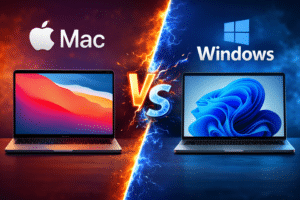
Windows
- Most flexible
- Huge software support
- Best for general users
macOS
- Excellent optimization
- Long battery life
- Expensive but reliable
ChromeOS
- Lightweight
- Budget-friendly
- Limited offline capability
Common Laptop Buying Mistakes (Seen Too Often)
1. Buying Based on Brand Name Only
Even premium brands make bad models.
2. Overpaying for Specs You’ll Never Use
I’ve seen people buy i9 laptops just for emails.
3. Ignoring After-Sales Support
Warranty quality matters more than specs.
4. Choosing Style Over Function
Thin looks cool—until it overheats.
Expert Tips From 5+ Years in the Field
- Always check thermal reviews, not just benchmarks
- Prioritize RAM and SSD over CPU upgrades
- Buy last year’s model to save money
- Avoid no-name sellers for refurbished laptops
- Read long-term user reviews, not influencer hype
Frequently Asked Questions (FAQs)
What is the best laptop budget for beginners?
$500–$700 offers the best balance of performance and longevity.
Is 8GB RAM enough in 2026?
Barely. It works, but 16GB is strongly recommended.
Should I buy a gaming laptop for normal use?
No. They’re heavy, noisy, and power-hungry.
How long should a good laptop last?
With the right specs, 4–6 years easily.
Is refurbished laptop a good option?
Yes—only if it comes with warranty and verified condition.
Conclusion: My Personal Recommendation
After years of real-world usage, testing, and helping others:
Buy a laptop that fits your daily life, not your ego.
Focus on:
- Your actual needs
- Balanced specs
- Reliable build
- Long-term comfort
A well-chosen mid-range laptop will outperform an overhyped flagship in daily life.
If you choose wisely today, your future self will thank you every single day you open that lid.